You probably have hundreds — maybe thousands — of photos, posts and personal details sitting on social media. And you probably gave them away a few pieces at a time without thinking twice. The birthday post, the location check-in, the "which is my childhood photo?" quiz. Each one seems harmless on its own.
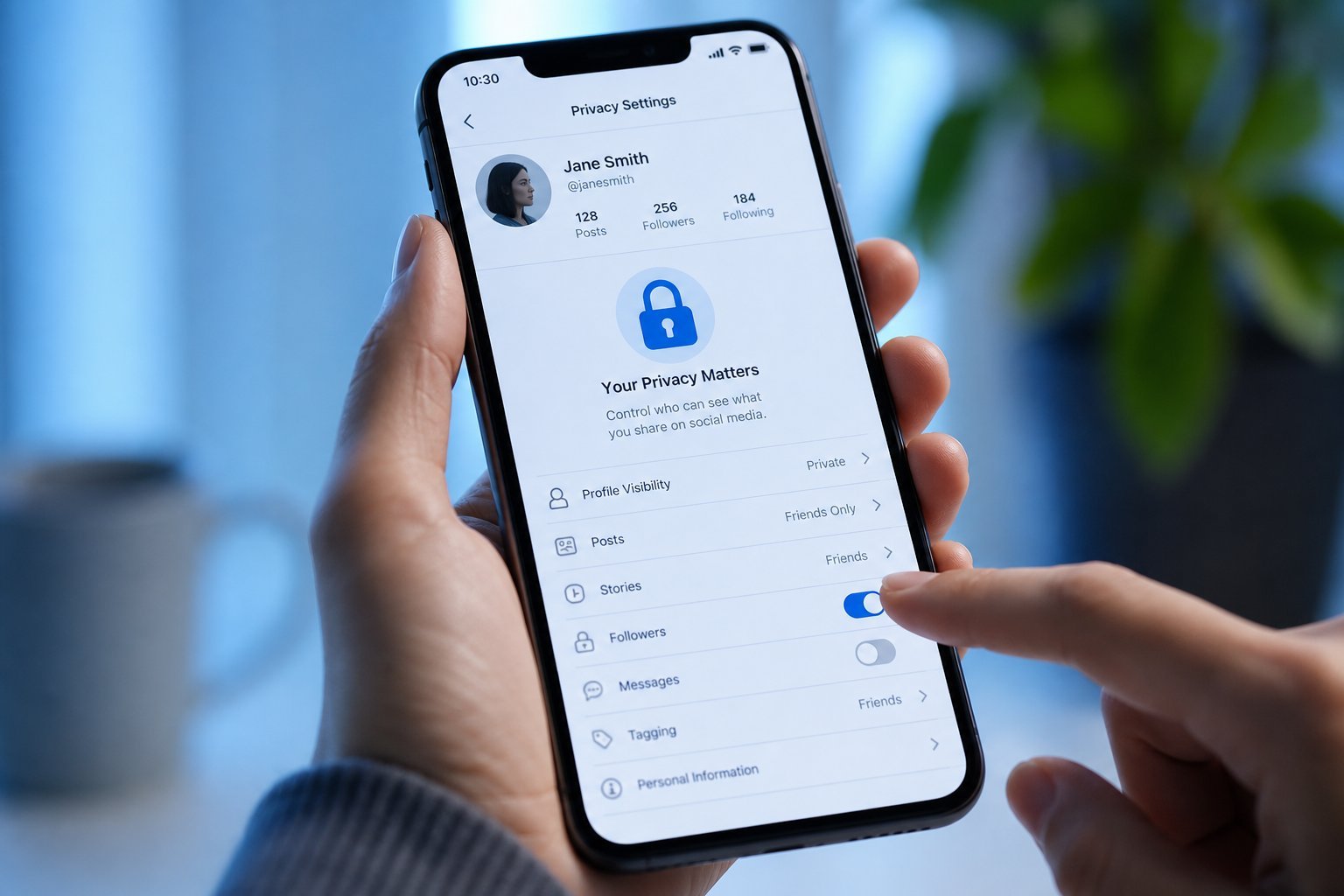
Social media privacy isn't about becoming invisible or deleting everything. It's about understanding what's public, and making deliberate choices about what you share. This guide walks you through a practical privacy review you can do in 20 minutes, on the major platforms.
What we'll cover
Why social media privacy matters The basics everyone should check Photos, location & oversharing Quizzes, apps & data-mining The "Google yourself" testWhy social media privacy matters
Here's the thing most people don't realize: the information you post publicly isn't just seen by your friends. It's collected by data brokers, used to build profiles, and can be exploited by scammers.
Public posts reveal things that criminals and manipulators find valuable:
- Birthdates and anniversaries — often used to guess passwords or security answers.
- Location patterns — check-ins and photos reveal when you're away from home.
- Family details — names of children, pets, relatives (common security questions).
- Your interests — used to target you with scams that look convincing.
This isn't about paranoia. It's about not handing over information that can be used against you, when a few settings prevent it.
The basics everyone should check
Here are the fundamental privacy settings to check on any social platform:
These five steps take minutes and dramatically reduce your public exposure.
Photos, location & oversharing
Photos and location are where most people accidentally overshare. Here's how to take control:
- Turn off location on posts. Most platforms let you add a location; many people do it automatically. Turn it off to stop broadcasting where you are.
- Don't post your home, workplace or children's school. These reveal your routines and where you can be found.
- Delay posting travel photos until after you're home. Posting vacation pictures in real time announces your house is empty.
- Avoid posting your full birthdate. The day is fun; the year is a data point scammers love.
- Review old posts. You can batch-review old posts and limit or delete ones you no longer want public.
✨ The "who can see this?" habit
Before posting anything, pause and ask: "Who am I okay with seeing this?" If the answer is "just friends," make sure the audience is set to Friends — not Public. That one-second check prevents most oversharing.
Quizzes, apps & data-mining
Those fun personality quizzes and "which Disney princess are you?" posts aren't just harmless fun. Many are data-mining tools designed to harvest your information — your birthdate, pet names, mother's maiden name, and other classic security-question answers.
Here's how to protect yourself:
- Be wary of quizzes asking personal questions. If a quiz asks things that look like security questions, that's a red flag.
- Review the apps connected to your account. Go to your platform's settings and see which third-party apps have access. Remove the ones you don't use.
- Be careful with "which X are you?" sharing. Even if the quiz is benign, the information you share publicly adds to your profile.
- Don't reuse password-style answers. If you've answered a security question publicly, don't use that answer on important accounts.
⚠️ The quiz red flag
Any quiz or app that asks for your birthdate, mother's maiden name, pet's name or hometown — all classic security questions — should be treated with deep suspicion. That's not a fun quiz; that's a data harvest.
The "Google yourself" test
Here's a revealing exercise that takes five minutes:
This shows you exactly what a stranger (or a scammer) can find about you at a glance. It's the most direct way to see your public footprint and fix it.
📌 Bottom line
Social media privacy is about making deliberate choices, not disappearing. Make your profile private, remove public contact info, turn off location on posts, and be careful what you share about your routine and your family. Be suspicious of quizzes that mine personal data, review connected apps, and periodically "Google yourself" to see your real public footprint. A 20-minute privacy review dramatically reduces what strangers, data brokers and scammers can find about you.