Your phone tells you it's "full" — yet again. Photos won't back up, apps refuse to update, and you're constantly deleting things to make room. Sound familiar? If you're constantly battling a full phone, you don't need a new device. You need to clear out the invisible space-hoggers you probably didn't know existed.
Every phone fills up for the same handful of reasons — and they're all fixable. This guide walks you through the biggest space-wasters on both Android and iPhone, and gives you a realistic cleanup plan that frees up serious space without losing anything you care about.
What we'll cover
First: see what's eating your storage Photos & videos — the biggest hog App caches, junk & unused apps WhatsApp & message attachments Duplicate & "junk" files Your 20-minute cleanup planFirst: see what's eating your storage
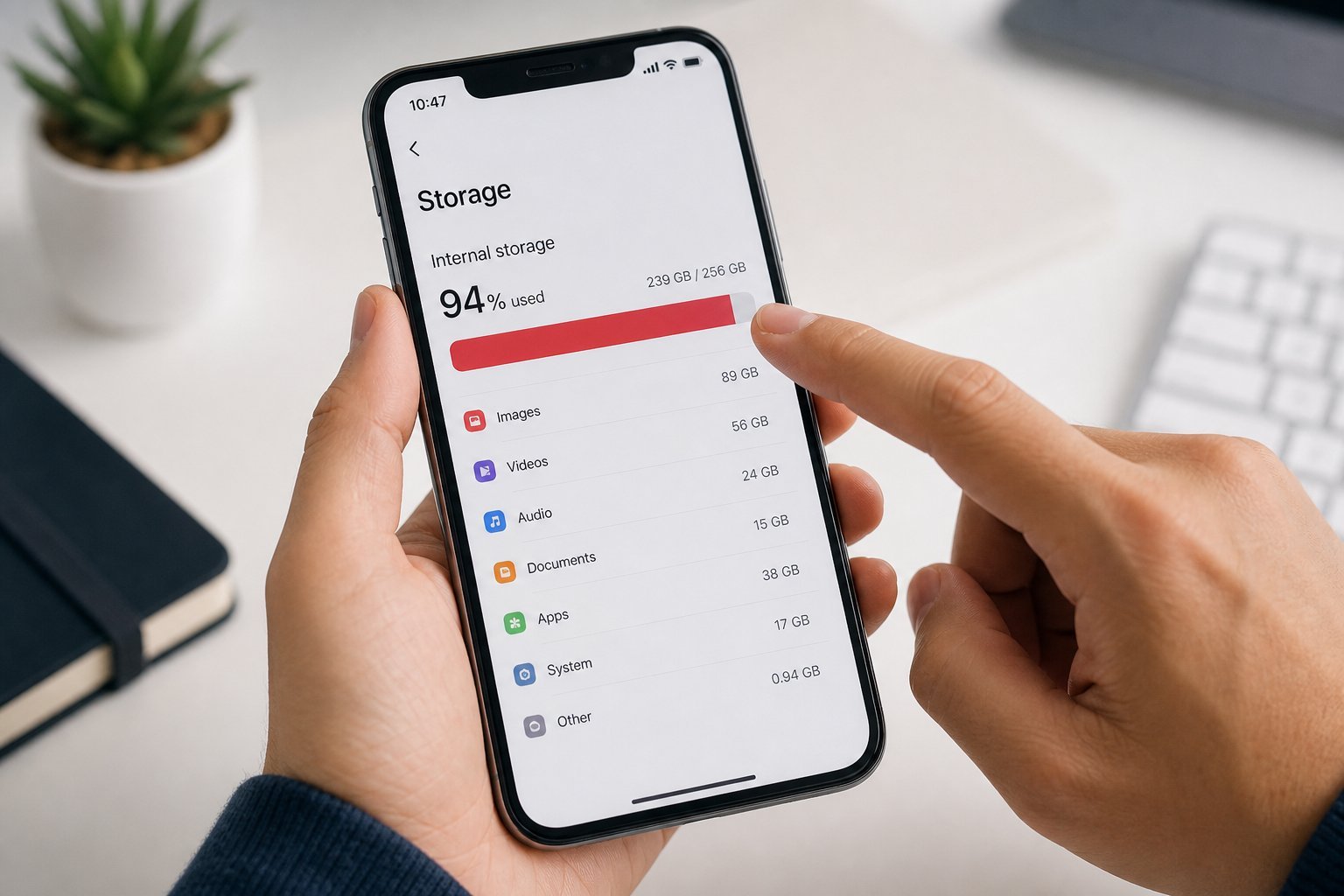
Before you delete anything, look at the numbers. Both platforms tell you exactly what's using your space, and that's where you should start:
This screen is a goldmine. It not only shows what's eating space, but on iPhone it often recommends exactly what to offload. Look for the top three categories — for most people, it's photos/videos first, then apps, then messages.
Photos & videos — the biggest hog
For almost everyone, photos and videos are the #1 space-eater. Modern phones take huge photos and 4K videos, and they add up shockingly fast. Here's how to reclaim space without losing your memories:
- Enable cloud photo backup (Google Photos on Android, iCloud Photos on iPhone). Once your photos are backed up, you can safely delete them from your phone.
- Use "free up space" — Google Photos has a feature that removes photos already backed up. iCloud Photos with "Optimize iPhone Storage" keeps low-res versions on your phone and full versions in the cloud.
- Trim your video library. A few minutes of 4K video can eat a gigabyte. Delete the failed takes and duplicates you'll never watch.
- Clear the "recently deleted" folder. Deleted photos linger for 30 days. Permanently empty it to get space back immediately.
💡 The backup rule
Never delete photos you care about until you've confirmed they're backed up. Turn on cloud backup, wait for it to finish, then free up space. Check that backups are actually complete before clearing anything.
App caches, junk & unused apps
Apps are the second-biggest culprit, and there's more to it than just uninstalling. Two things matter:
Unused apps. Go through your apps and delete the ones you haven't opened in months — those free trials, that game you forgot about, the banking app from a bank you don't use anymore. This is free space with no downside.
App caches. Apps store temporary "cache" files to load faster, and these build up over time. On Android, you can clear a specific app's cache in Settings → Apps → [app] → Storage → Clear Cache. On iPhone, caches are usually managed automatically, but you can offload unused apps (which frees their data while keeping the app icon).
✨ Offload vs. delete
On iPhone, "Offload App" removes the app but keeps its documents and data. It's perfect for apps you use occasionally — you reinstall and everything comes back. "Delete App" removes everything. Use offload for apps you might want later, delete for apps you're done with.
WhatsApp & message attachments
This is the space hog most people never think about. If you use WhatsApp (or any messenger heavily), your chat media is quietly eating gigabytes.
Every photo, video and voice note sent to you is stored on your phone — and group chats accumulate this fast. Here's how to reclaim it:
Many people free up 2–5 GB or more just from message attachments. It's often the single easiest big win.
Duplicate & "junk" files
Beyond the obvious, a few other things quietly accumulate:
- Downloads folder. Old PDFs, APKs, ZIPs and documents you downloaded once and forgot. Delete what you no longer need.
- Duplicate photos. Burst shots, screenshots, and "saved" versions of the same image. (Phone storage screens often surface these.)
- Offline maps and downloads. If you downloaded maps or content for a trip, clear them after.
- Large attachments in email apps. If your mail app stores downloaded attachments, clear the old ones.
You can use a "storage cleaner" app to find junk, but be careful — some of them are aggressive or ad-filled. For most people, the manual approach above is safer and just as effective.
Your 20-minute cleanup plan
Let's turn all of that into a quick, effective routine:
Do this once and you'll usually reclaim several gigabytes. To keep it from piling up again, make it a monthly habit — set a reminder. A little regular maintenance beats a frantic cleanup when your phone hits "storage full" at the worst possible moment.
📌 Bottom line
Your phone fills up for predictable reasons: photos, apps, caches and message attachments. Start by seeing your storage breakdown, then back up and offload photos, delete unused apps and caches, and clear WhatsApp media. A 20-minute cleanup reclaims gigabytes without losing your memories — and a monthly habit keeps your phone healthy forever.