If you're looking for the cheapest, easiest way to start your smart home, it's the humble smart plug. It's small, affordable, and instantly turns any regular appliance into something you can control from your phone or voice. No rewiring, no installation — you just plug it in.
This guide explains what smart plugs do, the different types, and how to choose and set them up — the perfect first step into the smart home.
What we'll cover
What a smart plug does The types of smart plugs Clever ways to use them How to choose & set upWhat a smart plug does
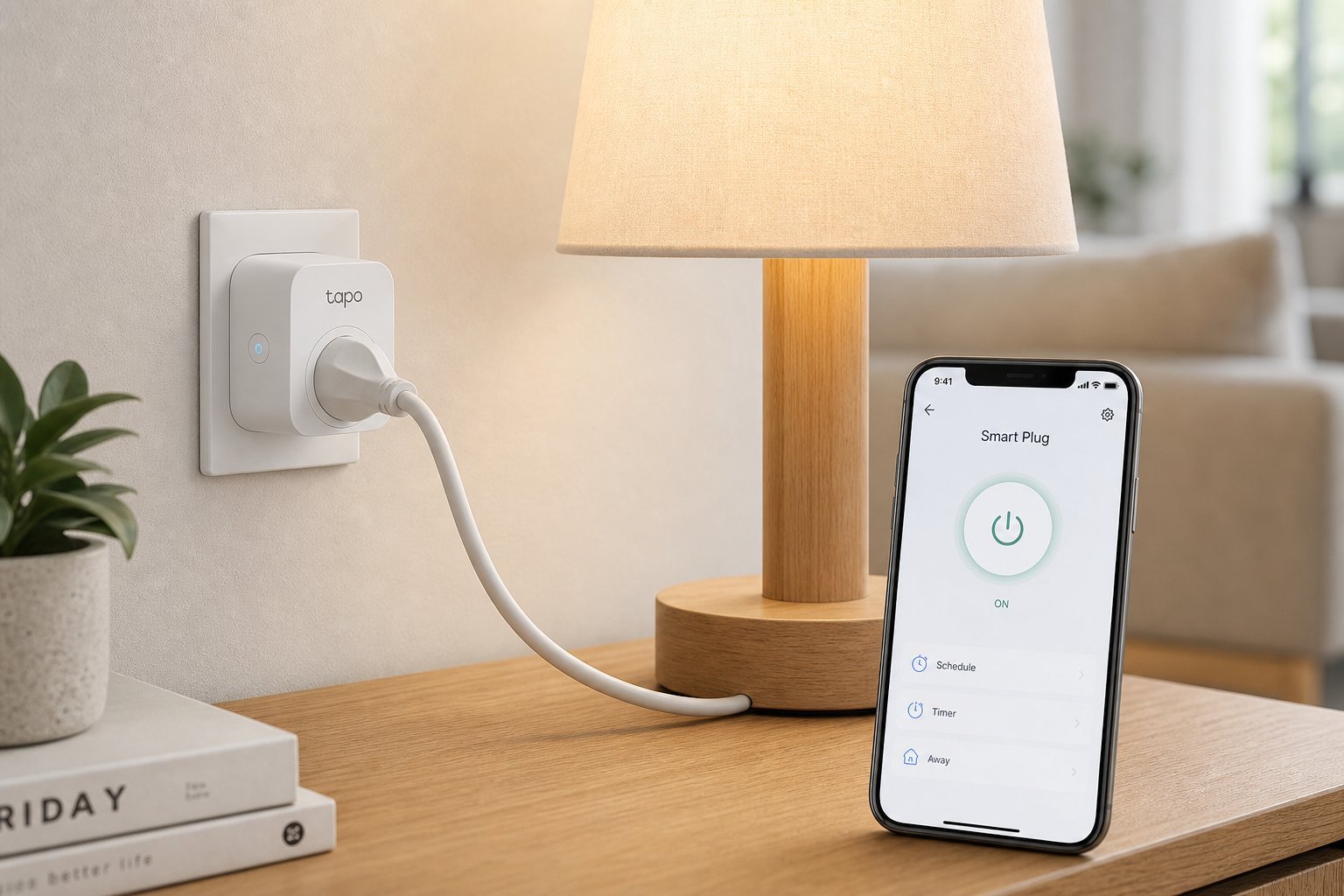
A smart plug sits between your wall socket and a device. It connects to your Wi-Fi, letting you control the device remotely:
- Turn things on and off from your phone, anywhere.
- Use voice control with a smart speaker ("turn off the lamp").
- Set schedules — lights on at sunset, coffee maker on before you wake.
- Use timers — devices turn off automatically after a set time.
- Monitor energy use (on some models) — see how much a device draws.
Because it controls power, a smart plug works with almost anything electric — lamps, fans, heaters, TVs, coffee makers, and more. It's the simplest way to add "smart" to ordinary devices.
The types of smart plugs
Smart plugs come in a couple of main varieties:
- Standard smart plug. Plugs into the wall; you plug a device into it. The most common and versatile.
- Smart power strip. Multiple sockets in one unit, each individually controllable — great for entertainment centers or desks with several devices.
- Smart plug with energy monitoring. Tracks how much power a device uses — handy for spotting energy hogs.
- Indoor vs outdoor. Outdoor-rated smart plugs for exterior lights and appliances, weatherproof.
For most people, a standard smart plug (or a smart power strip) is the right starting point. Choose outdoor or energy-monitoring versions only if you need those features.
Clever ways to use them
Once you have a smart plug, here are genuinely useful ways to use it:
Smart plugs shine at small conveniences — the lamp you don't have to get up for, the heater that turns off on its own, the lights that make home look lived-in.
How to choose & set up
Choosing and setting up a smart plug is easy:
✨ Buy one to test
Smart plugs are cheap, so buy one first, set it up, and see if you actually use it. If you do, buy more — they make a great, low-cost way to expand your smart home (see our smart home starter guide).
⚠️ Mind the power rating
Check the smart plug's maximum wattage before plugging in high-power devices like space heaters or air conditioners. Overloading a plug is a fire hazard. Use a plug rated for the device you connect.
📌 Bottom line
A smart plug is the cheapest, easiest way to start a smart home — it turns any regular device into one you control by phone or voice. Choose a standard plug (or power strip), check it's compatible with your assistant and rated for your device, and set it up by connecting to Wi-Fi and naming it. Use it for lamps, schedules, timers and making home look occupied. Cheap, simple and genuinely useful — the perfect first smart home purchase.